Private One-on-One · A$60/hr · Beginner to Advanced
Unity Course Curriculum
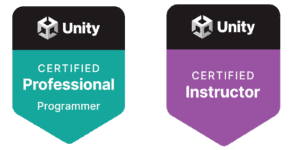
Everything you will learn across private Unity sessions with a Unity
Certified Professional Programmer and Instructor. Eight modules — from
your first game engine to advanced C# architecture.
8 Modules · 83 Topics · 1:1 Private · Tailored to Your Goals · A$60/hr
About This Course
Not a Fixed Course. A Flexible Curriculum.
These eight modules represent the full teaching plan — the complete body
of knowledge covered across private Unity sessions. This is not a rigid
schedule that every student follows in the same order. It is a curriculum
that gets shaped around you.
In the first session Bahman assesses your current knowledge and goals.
A beginner might start at Module 1 and work through all eight. An
experienced developer might jump straight to Module 6 for C# depth.
A student preparing for the Unity Certified Professional exam gets a
targeted path focused on exam-specific gaps.
🎯
Tailored to You
Sessions adapt to your experience level, pace, and project goals.
📍
Online or In-Person
Available online from anywhere or in-person in Mount Gambier SA.
🏆
Cert Exam Ready
The full curriculum maps to the Unity Certified Professional Programmer exam.
Game Development Foundations
The starting point. This module answers the big questions — what game
development looks like as a profession, what tools are used and why,
and what you will be capable of building by the end of this course.
No prior experience needed.
Introducing game development
Game genres — 2D and 3D examples
Student discussion — favourite games
Two key questions about game development
Jobs in the game industry
Artist — role and responsibilities
Technical Artist — role
Sound Designer — role
Game Designer — role
Developer — role
What is a game engine and why we use one
Don’t reinvent the wheel
What are game assets
Separation between engine and assets
Unity vs Unreal — comparison
Games made with Unity
Games made with Unreal
Why we use Unity
Unity’s programming language — C#
Scalability — low-end to high-end
How to install Unity — it is free
Creating a Unity account
Downloading Unity Hub
Installing Unity from Unity Hub
What you will learn in this course
Course Q&A — your questions answered
Open World & Terrain Design
Learn how Unity’s terrain system works and how to build expansive open
world environments from scratch. By the end of this module you will have
a fully navigable landscape with terrain height, layers, trees, and grass
— the foundation for any open world game.
How to shape an open world in Unity
Getting familiar with Unity windows
Aligning windows for better view
Adding a Terrain component to a scene
Using the Height tool to raise terrain
Using the Stamp tool to add geometry
Using the Lower and Raise tool
Using the Smooth Height tool
Adding texture layers to the ground
Adding trees to terrain
Adding grass and mesh detail
Creating terrain layers
Creating trees with leaves
Characters & Mixamo
Understand how game characters are created, rigged, and animated.
This module takes you from analysing great character design all the way
through to importing a fully animated character into Unity using Mixamo
— Adobe’s free character and animation library.
Hiring characters for your games
Analysing games with great characters
Analysing games with poor characters
How game characters are created
Character creation software — Maya
What is Mixamo
Creating a Mixamo account
Browsing and selecting characters
Selecting and previewing animations
Testing a character with animations
Downloading characters and animations
Importing characters into Unity
Character Movement & Animation
Bring your character to life. This module covers the full pipeline from
importing a character into Unity through to realistic physics, animation
control, and keyboard-driven movement. By the end your character will
walk, run, and interact with the terrain.
Making characters alive and responsive
Adding a Ragdoll to the character
Adding an Animation Controller
Using prefabricated Animation Controllers
Adding a Character Controller component
Writing character movement code
Testing character movement on terrain
Artificial Intelligence
Add intelligent non-player characters to your game world. This module
covers Unity’s NavMesh system — the tool that lets NPCs navigate your
environment automatically — and the C# code that makes them follow,
avoid, and react to the player.
Adding NPCs to the game
Adding NavMesh to terrain
Adding an NPC character
Adding a NavMesh Agent to NPC
Writing NPC follow-player code
Adding obstacles to pathfinding
3D Animation & Timeline
Animate objects directly in Unity using the Animation and Timeline
systems. This module covers movement, rotation, sequencing, and audio
— giving you the tools to create cinematic in-game sequences and
animated events without any external software.
Introduction to 3D animations in Unity
Animating object movement
Animating object rotation
Introduction to the Timeline window
Adding and sequencing audio in Timeline
C# Programming Foundations
The core programming module. Whether you are writing your first line
of code or coming from another language, this module builds a solid C#
foundation specific to Unity development. Every concept is taught through
practical game examples — not abstract exercises.
What is a variable
Main variable types in Unity
String variables — storing text
Int variables — whole numbers
Float variables — decimal numbers
Bool variables — true and false
If statements — conditional logic
For loops — counting and repeating
While loops — condition-based
Do While loops — execute then check
Switch statements — multiple conditions
Enums — named constant sets
Advanced C# for Unity
Where solid C# knowledge meets Unity’s architecture. This module
covers the object-oriented patterns and Unity-specific tools used
in professional game development — including concepts tested directly
in the Unity Certified Professional Programmer exam.
Inheritance — extending classes
Interfaces — contracts between classes
Scriptable Objects — data architecture
Finding GameObjects at runtime
Events and Listeners — decoupled communication
After This Course
Where These Skills Take You
Completing all eight modules gives you a working knowledge of Unity
that covers the core of what is tested in the Unity Certified Professional
Programmer exam. Many students continue with dedicated exam prep
sessions after finishing the main curriculum.
🎮
Build Your Own Game
Design, build, and publish your own Android
game on Google Play — terrain, characters,
movement, AI, and C# code.
🏆
Unity Certification
The curriculum maps directly to the Unity
Certified Professional Programmer exam.
Exam prep sessions available after.
💼
Industry Ready
Understand the full game development
pipeline — from concept and assets
through to a shipped published product.
Exam Preparation
Unity Certified Professional Programmer
The Unity Certified Professional Programmer exam is the highest
technical credential Unity Technologies awards. Bahman holds this
certification — awarded October 2025 — and can coach you through
the full exam syllabus after you complete the main curriculum.
Exam prep sessions target your specific knowledge gaps — not a
one-size-fits-all review. Bahman assesses where you are and
builds a targeted study plan from there.
Ready to Start Learning Unity?
Book a private session with Bahman. Tell him where you are
and where you want to get to. He will take it from there.